
Blueprints to Reality


BIM Design Automation
The project process begins with detailed architectural, LGS, MEP, and facade drawings, which form the basis for a digital twin—a virtual model enabling thorough planning, construction simulations, and early troubleshooting. This approach reduces errors, minimizes material waste, and improves construction efficiency in line with UNIQUBE's commitment to precision and sustainabilitytailed digital model of the structure. This model enables thorough planning, simulation of construction scenarios, and troubleshooting design issues before physical construction begins, reducing errors and material waste.

Fabrication Drawings
After creating the Digital Twin, detailed fabrication drawings are made. These drawings provide precise instructions and dimensions for manufacturing the modular units' components, ensuring accurate production. They cover the structural framework, paneling, and custom fittings, facilitating a smooth assembly process.

Manufacturing
In this step, the modular units' components are manufactured according to the fabrication drawings. This includes producing structural elements, installing fixtures, and integrating electrical and plumbing systems. It ensures all parts are precisely built and ready for assembly.

Barcoding & Tagging
Each component and module is tagged with a QR code or similar digital ID system before shipping. This tagging enables easy tracking and management during shipping and installation. Workers can scan the tags to access information such as installation instructions and the unit's location within the overall design.
Shipping & Delivery
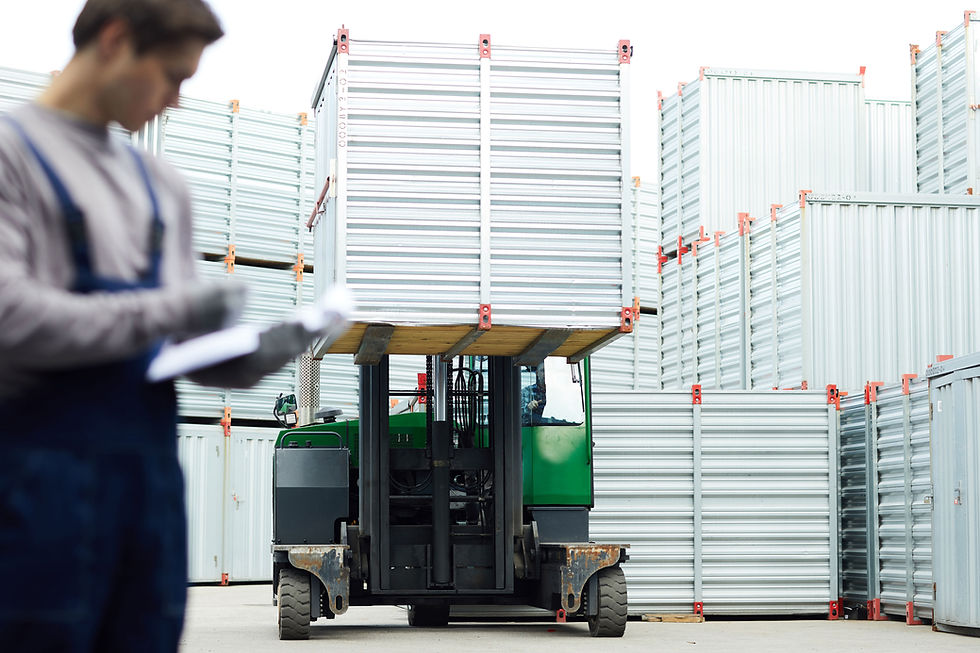
After fabrication, the modular units are prepared for shipment. This includes securely packing and labeling each module to protect them during transport, ensuring they arrive in perfect condition at the construction site. Depending on size and logistics, the modules are typically shipped in containers or on flatbeds.

ASSEMBLY & CONSTRUCTION
The assembly process utilizes the Unitized Building System, where each component—walls, ceilings, and windows—is pre-assembled in a factory setting. The system arrives on-site with MEP elements pre-installed, requiring minimal on-site labor and ensuring uniform quality. Components are systematically installed, following a step-by-step process supported by the Uniqube mobile app, facilitating a fast, efficient assembly with reduced errors and labor needs.


Project Process
40% Faster building time compared to traditional methods

Design


BIM Design Automation
The project process begins with detailed architectural, LGS, MEP, and facade drawings, which form the basis for a digital twin—a virtual model enabling thorough planning, construction simulations, and early troubleshooting. This approach reduces errors, minimizes material waste, and improves construction efficiency in line with UNIQUBE's commitment to precision and sustainability
Manufacturing

Manufacturing
In this step, the modular units' components are manufactured according to the fabrication drawings. This includes producing structural elements, installing fixtures, and integrating electrical and plumbing systems. It ensures all parts are precisely built and ready for assembly.
Shipment

Shipment
After fabrication, the modular units are prepared for shipment. This includes securely packing and labeling each module to protect them during transport, ensuring they arrive in perfect condition at the construction site. Depending on size and logistics, the modules are typically shipped in containers or on flatbeds.
Fabrication

Fabrication
After creating the Digital Twin, detailed fabrication drawings are made. These drawings provide precise instructions and dimensions for manufacturing the modular units' components, ensuring accurate production. They cover the structural framework, paneling, and custom fittings, facilitating a smooth assembly process.

Tagging

Tagging
Each component and module is tagged with a QR code or similar digital ID system before shipping. This tagging enables easy tracking and management during shipping and installation. Workers can scan the tags to access information such as installation instructions and the unit's location within the overall design.

Assembly
Assembly
The assembly process utilizes the Unitized Building System, where each component—walls, ceilings, and windows—is pre-assembled in a factory setting. The system arrives on-site with MEP elements pre-installed, requiring minimal on-site labor and ensuring uniform quality. Components are systematically installed, following a step-by-step process supported by the Uniqube mobile app, facilitating a fast, efficient assembly with reduced errors and labor needs.

Build 40% Faster with Uniqube
Pre-fitted Systems
Our pre-fitted MEP systems ensure a faster, smoother assembly, cutting down on on-site labor while boosting efficiency.
Quality Consistency
Manufactured in a controlled environment, each module guarantees uniform quality and precision, ensuring every build meets the highest standards.
Turnkey Solution
UniQube delivers a complete turnkey solution, ready for immediate move-in, with every detail expertly handled from start to finish.
Efficient Construction
With UniQube's innovative approach, cut your construction time in half while maintaining superior quality and durability.